Ecommerce Graphic Design: Product Images That Actually Sell
Ecommerce graphic design services for product listings, promo banners, email headers, and social ads, with ongoing design support from DesignSlave each month.
TL;DR: Ecommerce graphic design helps online stores turn product listings, promotional banners, email campaigns, and social ads into a consistent shopping experience. Great visuals make products easier to understand, highlight important benefits, and support campaigns across every channel. DesignSlave offers unlimited design requests and revisions for $500/month, so your store can keep producing fresh creative assets without paying a separate freelancer fee for every image.
What Is Ecommerce Graphic Design?
Ecommerce graphic design is the visual content that helps an online store present products, communicate value, and guide shoppers toward a purchase. It includes product listing images, promotional graphics, website banners, email headers, social media ads, and other assets used throughout the customer journey.
Your product might be excellent. Your pricing might be competitive. Your shipping might be fast. But if your product images look inconsistent, your offer is difficult to understand, or your promotional banners feel outdated, shoppers have fewer reasons to stop and pay attention.
That is where thoughtful design makes a difference.
The goal is not to decorate your store with attractive graphics. It is to make shopping easier, present your products clearly, and help customers understand why they should choose you.
For ecommerce businesses, design is also ongoing work. New products arrive, seasonal campaigns launch, discounts change, and advertising creatives need refreshing. You need a repeatable way to produce good visuals without turning every new campaign into a separate hiring project.
5 Ecommerce Graphic Design Assets Every Store Needs
Different assets serve different purposes. A product listing helps shoppers understand what they are buying, while a promotional banner communicates an offer. Your design system should support both.
1. Product Listing Images That Explain the Product
Your main product image often creates the first impression. It should show the product clearly, use appropriate lighting, and avoid unnecessary distractions.
However, one attractive image rarely communicates everything a shopper needs to know.
Supporting product graphics can highlight:
- Important features and benefits.
- Product dimensions, materials, or compatibility.
- Available colors, styles, and variations.
- Included accessories or package contents.
- Product details that are difficult to understand from a photograph alone.
For example, a store selling a wireless charging stand could use a clean hero image, a close-up of the charging area, a graphic explaining compatible devices, and a lifestyle image showing the product on a desk.
Each image should answer a useful question. Avoid cramming every feature into one crowded graphic.
Also, follow the relevant marketplace’s image requirements. Some platforms restrict text, promotional badges, backgrounds, or additional elements in the primary product image. Keep compliant listing images separate from supporting graphics when necessary.
2. Website Banners That Communicate Offers Quickly
Homepage banners, category headers, and campaign graphics help shoppers discover promotions and important product collections.
A useful banner communicates three things quickly: what is being promoted, why the shopper should care, and what action to take next.
For example, a seasonal campaign might feature a product collection, a clearly presented offer, and a direct shopping call to action.
Keep the visual hierarchy simple. The product or offer should receive the most attention, supporting details should remain readable, and the CTA should be easy to find.
Remember that banners appear on different screen sizes. A layout that looks excellent on a desktop can become unreadable on a phone if the headline, product, and button compete for limited space.
Create appropriately sized variations instead of simply shrinking the desktop design.
3. Sale and Promotional Graphics
Promotions give shoppers a reason to explore your store, but weak creative can make even a good offer difficult to notice.
Sale graphics should emphasize the actual offer without overwhelming the product. Use clear typography, sufficient contrast, and a consistent visual style across campaign assets.
Common examples include:
- Seasonal sale announcements.
- Limited-time promotional banners.
- Product bundle graphics.
- New product launch creatives.
- Clearance and special-offer campaigns.
Make the discount, eligibility conditions, and campaign dates accurate. Never let visual emphasis turn into misleading advertising.
A strong promotional system also makes repeat campaigns easier. Instead of designing every sale from scratch, reuse approved layouts while updating the product imagery, offer, and supporting details.
4. Email Headers and Campaign Graphics
Email remains a useful channel for product announcements, promotional campaigns, abandoned-cart reminders, and customer retention.
Your email graphics should support the message rather than replace it. A clear header introduces the campaign, product visuals showcase the offer, and supporting graphics help customers understand the featured products.
Keep important information readable on mobile devices, and make sure essential messages remain available as actual text rather than being embedded entirely in images.
Consistency matters here. When email campaigns look like they belong to the same store as your website and social ads, customers experience a more recognizable brand.
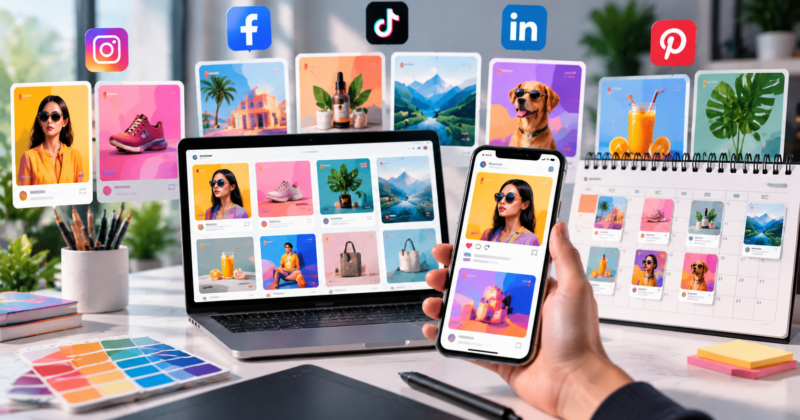
5. Social Media Ads That Stop the Scroll
Social ads need to communicate quickly because people are not necessarily looking for your product when they encounter the creative.
Use a clear product image, one main benefit, and a strong visual focal point. Test different creative directions when your campaign strategy supports it.
For example, the same product might be presented through a feature-focused graphic, a lifestyle visual, and a promotion-led creative. Each version communicates a different reason to consider the product.
Keep the brand recognizable, but do not assume that repeating one layout forever will keep every campaign fresh.
If social creative is a major part of your marketing workflow, explore the social media design subscription approach to managing recurring graphics.
What Makes Ecommerce Product Images More Effective?
Good ecommerce design balances visual appeal with clarity. A beautiful graphic that hides the product or makes the offer difficult to understand is not doing its job.
Establish a clear visual hierarchy
Decide what shoppers should notice first. Depending on the asset, that might be the product, its main benefit, or the promotional offer.
Use size, spacing, contrast, and typography to guide attention. Avoid giving every element equal visual weight.
Keep product details accurate
The design must represent the actual product. Do not alter its shape, color, proportions, accessories, or features in ways that could mislead customers.
Use high-quality source photography whenever possible. Supporting graphics should clarify the product, not create expectations that the real item cannot meet.
Build a consistent brand system
Use a defined palette, typography, image treatment, and layout style across your store.
Consistency does not mean every creative looks identical. It means shoppers can recognize your brand while each asset serves its own purpose.
Create reusable templates for recurring promotions, product launches, and social campaigns. Templates save time while helping different assets feel connected.
Design for mobile first
Many shoppers browse ecommerce stores on their phones. Small text, tightly packed layouts, and poorly cropped product images can make your creative harder to understand.
Preview designs at realistic sizes before publishing. Check contrast, readability, image crops, and the placement of important information.
Why Ecommerce Stores Need a Continuous Design Workflow
An online store is never visually finished for long.
You add products, update collections, run promotions, refresh paid ads, and prepare new email campaigns. Each activity creates another set of design requirements.
Hiring a freelancer for every individual graphic can introduce repeated briefing, quoting, scheduling, and payment tasks. Managing several freelancers can add even more coordination.
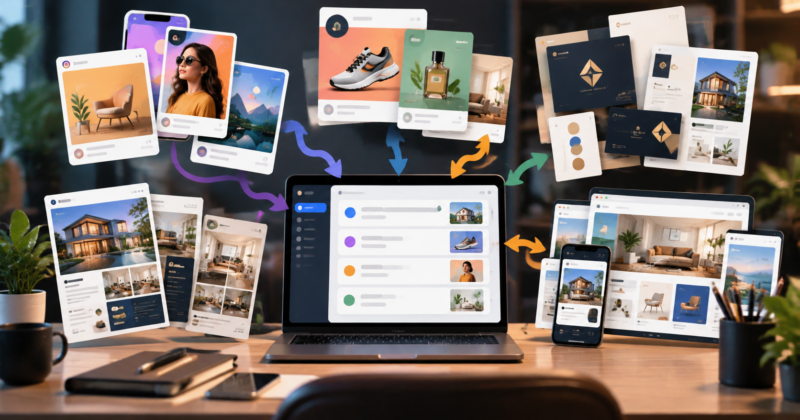
A recurring design subscription offers another approach. Instead of treating every graphic as a separate purchase, you use a monthly service for ongoing design production.
For a broader explanation of the model, read our guide to what an unlimited graphic design subscription is.
The main advantage is predictability. Your team has a consistent way to submit design requests, provide feedback, and organize creative work as campaigns develop.
You still need to prioritize requests, provide accurate assets, and review the results. A subscription simplifies the production arrangement, but it does not eliminate the need for a clear brief or sensible planning.
How Much Should You Budget for Ecommerce Graphic Design?
Your costs depend on how much creative work your store needs, how complex the assets are, and how frequently campaigns change.
Project-based pricing can suit stores that need occasional graphics. However, stores producing product listings, promotional campaigns, email headers, and social ads throughout the month may prefer a predictable recurring expense.
DesignSlave costs $500/month and includes unlimited design requests and revisions. Most requests are completed in 24 to 48 hours, and you can pause or cancel anytime.
That means you can submit different types of design requests through one subscription rather than arranging a separate freelancer payment for every asset.
The subscription fee is fixed, but production still needs prioritization. Unlimited requests do not mean every design arrives simultaneously, and complex campaigns may require more coordination than a single promotional graphic.
Before choosing a model, consider how often your store needs new creative, how much time your team spends managing production, and whether the arrangement fits your campaign schedule.
How to Organize Ecommerce Design Requests
A simple workflow helps your team get better results from every design request.
Start with a complete brief
Include the product name, product photography, approved copy, target audience, campaign objective, dimensions, and any relevant platform requirements.
If the graphic promotes a discount, confirm the exact offer and its conditions before work begins.
Group related assets into campaigns
When launching a product, organize the listing graphics, website banner, email header, and social ads around the same campaign.
This gives your designer the context needed to maintain visual consistency while adapting the creative to each channel.
Review before publishing
Check product accuracy, spelling, image quality, mobile readability, and brand consistency. Confirm that the CTA, promotion details, and landing page match.
Measure results and improve
Track the metrics relevant to each asset, such as click-through rate for ads, conversion rate for product pages, or email engagement.
Use those results to develop better creative briefs and test new visual approaches. Design supports performance, but it cannot guarantee sales on its own. Pricing, product quality, targeting, customer experience, and the offer all matter too.
Frequently Asked Questions
What do ecommerce graphic design services include?
Ecommerce graphic design services can include product listing images, promotional banners, email headers, social ads, website graphics, and product launch assets. The exact deliverables depend on your store’s needs and the design provider’s scope.
How much does DesignSlave cost?
DesignSlave costs $500/month, with unlimited requests and revisions. Most requests are completed in 24 to 48 hours, and you can pause or cancel anytime.
Can one design subscription cover multiple ecommerce channels?
Yes, you can use a design subscription for different types of creative requests, such as product graphics, website banners, email headers, and social ads. Plan request priorities around your campaign deadlines and production needs.
Do better product images guarantee more sales?
No. Clear, accurate, professional product images can help shoppers understand products and evaluate offers, but sales also depend on pricing, product quality, traffic, targeting, trust, and the checkout experience.
Keep Your Ecommerce Creative Moving
Your store needs more than one good product photo. It needs a consistent flow of accurate product graphics, promotional banners, email creative, and social ads that keep campaigns moving.
DesignSlave gives ecommerce businesses a straightforward way to manage recurring design production for $500/month, with unlimited requests and revisions. Most requests are completed in 24 to 48 hours, and you can pause or cancel anytime.
If your team is tired of coordinating a new freelancer every time another campaign needs graphics, explore DesignSlave and see whether the subscription fits your ecommerce workflow.