30 Design Requests to Fill Your Subscription Queue This Month
Use these 30 design request ideas to fill your monthly queue with social posts, ads, brand assets, print materials, and web graphics for your business.
TL;DR: An unlimited design subscription works best when you keep a steady pipeline of useful requests instead of scrambling to find something to submit at the end of the month. From social media graphics and ad creatives to brand assets, print materials, and website visuals, these 30 design request ideas will help you turn your subscription into a practical marketing production system.
How to Get More Value From Your Design Subscription
Paying for design support but struggling to decide what to request? You are not alone. Most businesses need more creative assets than they realize, but those requests often stay buried in notes, marketing plans, and someone’s overflowing inbox.
The solution is to stop treating design as a collection of isolated tasks. Instead, build a queue around your marketing goals, customer journey, and upcoming campaigns.
DesignSlave costs $500/month and includes unlimited design requests and revisions. Most requests are completed in 24 to 48 hours, and you can pause or cancel anytime.
That makes it useful to organize requests in advance, group related assets into campaigns, and keep your designer supplied with clear briefs.
You do not need to submit all 30 ideas immediately. Choose the requests that matter most to your business, prioritize them, and work through the queue as your campaigns develop.
10 Social Media Design Request Ideas
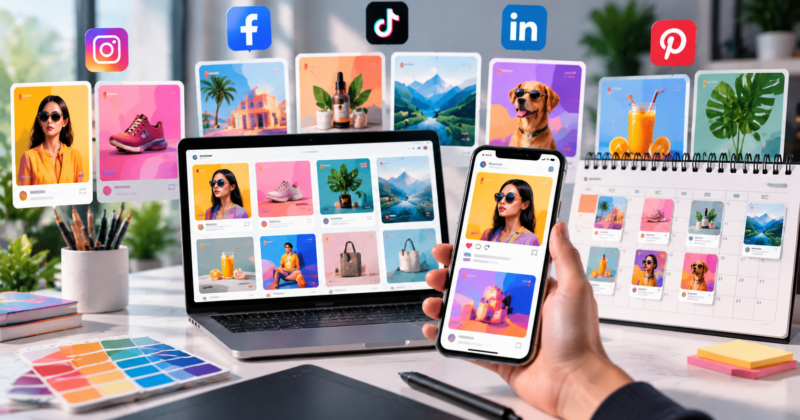
Social media needs a steady supply of fresh creative. These requests can support organic content, product launches, community engagement, and brand awareness. Our social media design subscription guide covers how recurring social graphics work in practice.
1. Monthly social media post templates
Request a reusable set of layouts for educational posts, promotions, announcements, and customer-focused content. Templates make future content easier to produce while keeping your brand consistent.
2. Instagram carousel designs
Turn useful information into swipeable content. Request carousels covering product benefits, industry tips, common mistakes, tutorials, or answers to customer questions.
Provide the copy or outline so the designer can organize the information into a clear visual sequence.
3. Instagram Story templates
Create reusable story layouts for polls, questions, product highlights, promotions, and announcements. Keep important text readable and leave room for platform interface elements.
4. Product feature graphics
Highlight individual product benefits, specifications, use cases, or product comparisons. These graphics can help customers understand what makes an offering useful without reading a long description.
5. Customer testimonial graphics
Turn approved customer feedback into branded visuals. Keep the testimonial accurate, obtain permission where necessary, and make the customer’s words the main focus.
6. Educational infographic posts
Convert complicated information into an easy-to-follow graphic. Think checklists, step-by-step processes, comparisons, or short explainers that give your audience a reason to save and share the content.
7. Seasonal campaign graphics
Prepare visuals for relevant holidays, seasonal promotions, business milestones, and industry events. Request the assets ahead of time rather than designing them while the campaign is already running.
8. Just launched or new arrival posts
Announce a new product, service, feature, or collection with a consistent visual system. Request matching variations for different social platforms when needed.
9. Behind-the-scenes content templates
Create layouts for team introductions, production processes, work-in-progress updates, and company milestones. These assets help your business show the people and processes behind the brand.
10. Social media profile and cover graphics
Refresh your profile imagery, page covers, highlight covers, and other branded platform elements. Make sure the designs use current logos and fit the latest platform specifications.
6 Advertising Design Request Ideas
Advertising creative needs regular attention, especially when you are testing different offers, audiences, and messaging.
11. Paid social ad variations
Request several creative directions for an upcoming campaign. You might test product-focused imagery, benefit-led layouts, lifestyle visuals, or different visual hierarchies.
Keep the offer and audience consistent when you want to understand whether the creative direction influences performance.
12. Google Display ad creatives
Create visual assets for display advertising in the sizes your campaign requires. Supply the approved headline, offer, brand assets, and CTA so the designs stay aligned with your advertising strategy.
13. Retargeting ad graphics
Develop creatives for people who have already visited your website or interacted with your business. Depending on your campaign, highlight a product benefit, address a common objection, or remind shoppers about an offer.
14. Promotional offer graphics
Request visuals for discounts, bundles, seasonal offers, or special campaigns. Make the offer easy to understand, and ensure the dates, conditions, and pricing are accurate.
15. Lead magnet advertising creatives
Promote a downloadable guide, checklist, ebook, webinar, or other lead-generation offer. The graphic should communicate the value of the resource and direct attention toward the next step.
16. Video thumbnail and cover designs
Create consistent thumbnails for tutorials, product demonstrations, educational videos, and promotional content. A strong thumbnail should communicate the topic quickly without becoming a miniature poster packed with tiny text.
5 Branding and Business Design Request Ideas
Your brand needs more than a logo. These requests help keep the entire customer experience visually consistent.
17. Brand guidelines document
Request a practical reference covering logo usage, colors, typography, spacing, imagery, and common design applications. This gives your team and future collaborators a shared standard.
18. Presentation and pitch deck templates
Create branded slides for sales presentations, proposals, investor updates, or client onboarding. Request reusable layouts for cover slides, section dividers, charts, case studies, and closing slides.
19. Business proposal and service sheet designs
Turn your services into a clear, professional document that explains what you offer, who it helps, and how customers can take the next step.
20. Email signature graphics
Create a consistent branded signature with the appropriate logo, contact details, and relevant links. Keep it lightweight and readable across email clients.
21. Case study and portfolio layouts
Transform completed projects into structured case studies. Request layouts for the challenge, solution, process, and outcome, using accurate information and approved visuals.
5 Print and Offline Marketing Request Ideas
Physical marketing materials still matter for events, retail environments, sales meetings, and local businesses.
22. Business cards
Refresh your business cards with current branding and contact details. Check typography, spacing, bleed, and print specifications before sending the files to a printer.
23. Flyers and promotional leaflets
Create flyers for events, product promotions, service announcements, or local campaigns. Prioritize the main message, essential details, and CTA instead of filling every inch with copy.
24. Brochures and product catalogs
Organize your services or product range into a clear, structured document. Request consistent layouts for product photography, descriptions, specifications, and supporting information.
25. Event banners and signage
Prepare graphics for trade shows, conferences, retail displays, or company events. Confirm the final dimensions, viewing distance, production method, and printer requirements before design begins.
26. Packaging inserts and thank-you cards
Create branded inserts that accompany shipped products. Depending on your business, these might communicate care instructions, encourage product registration, request feedback, or introduce related products.
4 Website and Digital Design Request Ideas
Your website also needs supporting visuals to keep pages current and campaigns consistent.
27. Homepage and landing page banners
Request fresh hero graphics for product launches, promotions, seasonal campaigns, or updated service offerings. Include the intended headline, CTA, page destination, and responsive requirements.
28. Website section illustrations and feature graphics
Create visuals for service explanations, product benefits, process descriptions, and important website sections. Use them to clarify information rather than adding decoration without a purpose.
29. Blog featured images
Build a consistent visual style for your blog library. Request featured images that reflect each article’s topic while maintaining a recognizable brand identity across the website.
30. Email newsletter graphics
Design newsletter headers, promotional sections, product highlights, and campaign banners. Keep layouts readable on mobile devices and ensure essential information is not available only inside an image.
How to Turn These 30 Ideas Into a Monthly Queue
Having ideas is useful. Knowing which ones to request first is what makes the process practical.
Start with your business priorities. If you are launching a product, prioritize the launch graphics, product visuals, advertising creatives, and supporting website assets. If you need more leads, focus on lead magnets, ads, landing page visuals, and sales materials.
Next, group related requests into campaigns. A product launch, for example, can produce a coordinated collection of social posts, display ads, email graphics, and landing page banners.
Then create a simple priority list:
- High priority: Assets tied to an upcoming launch, active campaign, or immediate business need.
- Medium priority: Evergreen marketing assets, reusable templates, and sales collateral.
- Low priority: Nice-to-have visual improvements without an immediate deadline.
Write clear briefs before submitting requests. Include the objective, audience, required dimensions, copy, brand assets, examples, and deadline. Complete briefs reduce unnecessary back-and-forth.
Remember that unlimited requests do not mean every item will be produced simultaneously. DesignSlave completes most requests in 24 to 48 hours, so prioritize the work that matters most and plan around your campaign schedule.
If you are still evaluating the subscription model, read our guide to what an unlimited graphic design subscription is to understand how recurring design production works.
Common Mistakes That Waste Your Design Queue
The biggest mistake is requesting assets simply because you have a subscription. Every design should serve a purpose, whether that is communicating information, supporting a campaign, improving consistency, or helping customers take action.
Another mistake is submitting incomplete briefs. Missing copy, outdated logos, unclear dimensions, and conflicting references slow down the process.
Finally, do not create everything at once without considering how the assets will be used. A campaign that needs five coordinated graphics may deserve priority over five unrelated designs with no immediate business purpose.
Review your queue weekly, remove outdated requests, and adjust priorities as your business changes.
Frequently Asked Questions
What should I request first from an unlimited design subscription?
Start with assets connected to your most important business goal. For a launch, prioritize product graphics and campaign creatives. For lead generation, focus on ads, landing page visuals, and lead magnet designs.
Does DesignSlave really offer unlimited design requests?
Yes. DesignSlave offers unlimited design requests and revisions for $500/month. Most requests are completed in 24 to 48 hours, and you can pause or cancel anytime.
Can I request different types of designs in one subscription?
Yes. You can submit requests across social media, advertising, branding, print, and web design. Prioritize requests and provide clear briefs to keep production organized.
How do I avoid running out of design ideas?
Maintain a running list of upcoming campaigns, customer questions, product updates, website improvements, and sales materials. Use the 30 ideas above as a starting point, then adapt them to your business goals.
Fill Your Queue With Work That Moves Your Business Forward
Your design subscription should help you maintain momentum, not leave you wondering what to request next.
Use these 30 ideas to build a practical queue of social content, ad creatives, brand assets, print materials, and website graphics. Prioritize the requests that support your goals, brief them properly, and keep useful projects ready for production.
DesignSlave offers unlimited design requests and revisions for $500/month, with most requests completed in 24 to 48 hours. You can pause or cancel anytime.
Ready to turn your backlog of design ideas into finished creative assets? Visit DesignSlave to explore the subscription.